Connect your Anthropic account
Holori offers an Anthropic FinOps solution to help you track and optimize your Claude API costs.
In the Holori App, select "Cloud Accounts" from the left menu and click "+ Connect now" under the Anthropic logo.
Holori uses the Anthropic Usage and Cost API and a read-only Admin API Key. Holori cannot perform any actions that incur costs, and only reads usage metadata such as token consumption. No prompts or responses are ever ingested.
This integration only covers direct Anthropic API usage and cost data. It does not support Claude hosted on other clouds (such as Amazon Bedrock), or subscription and seat-based costs such as Claude Team, Claude Code, Claude Cowork, or Claude.ai consumer plans.
Admin keys are not available for individual accounts. You must be an Organization Admin in the Anthropic console, and your organization must already be set up under Console > Settings > Organization.
Step 1: Open your Anthropic console
Navigate to the Anthropic console and log in.
Step 2: Open Organization settings
At the bottom left of the console, click your username, then select Organization settings.

Step 3: Open Admin keys
On the left navigation, click Admin keys.
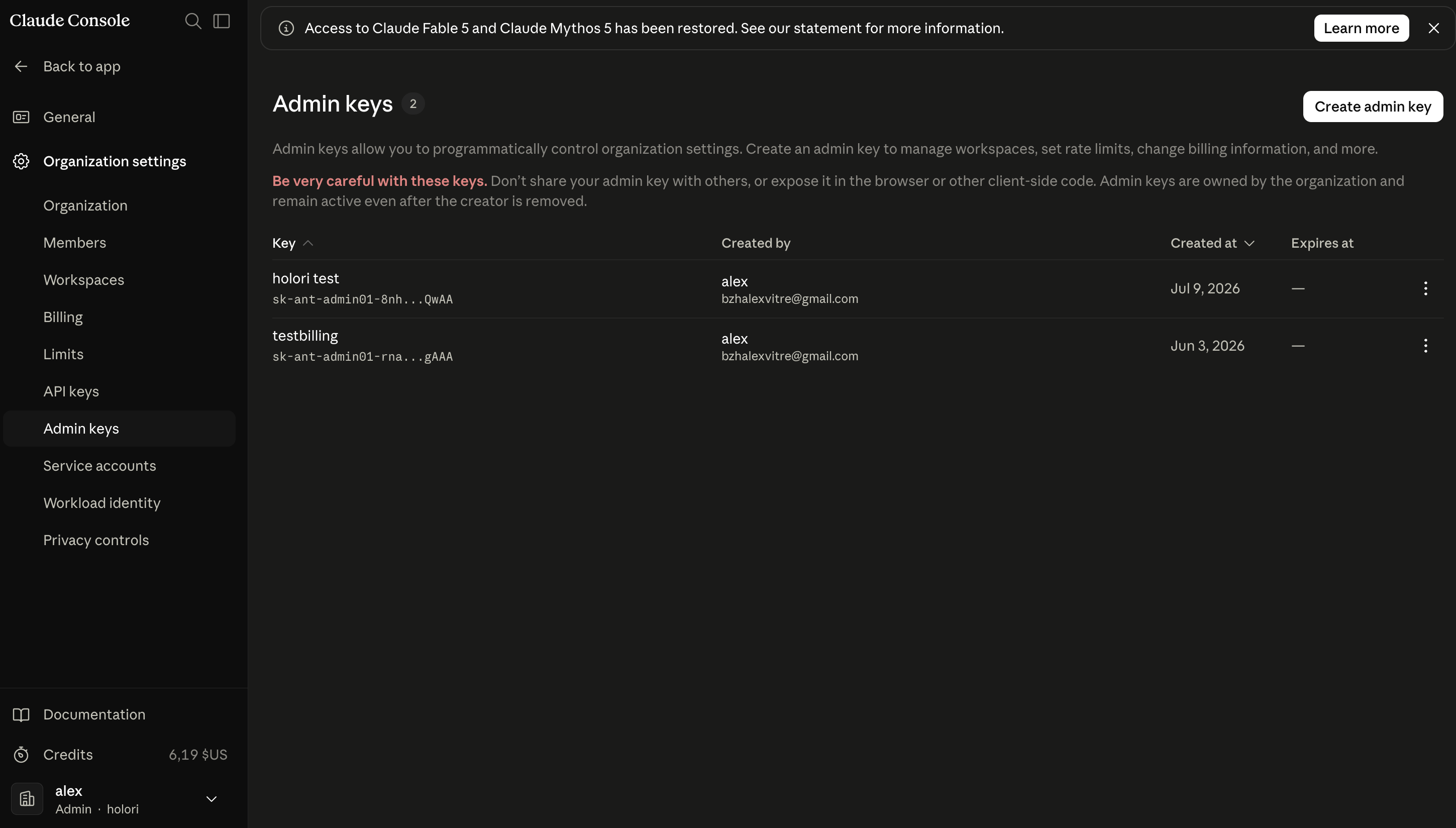
Step 4: Create an Admin key
Click + Create admin key.
- Enter a name for the key, such as holori_integration
- We recommend using a dedicated key for Holori and rotating it per your organization's security policy
- Click Add
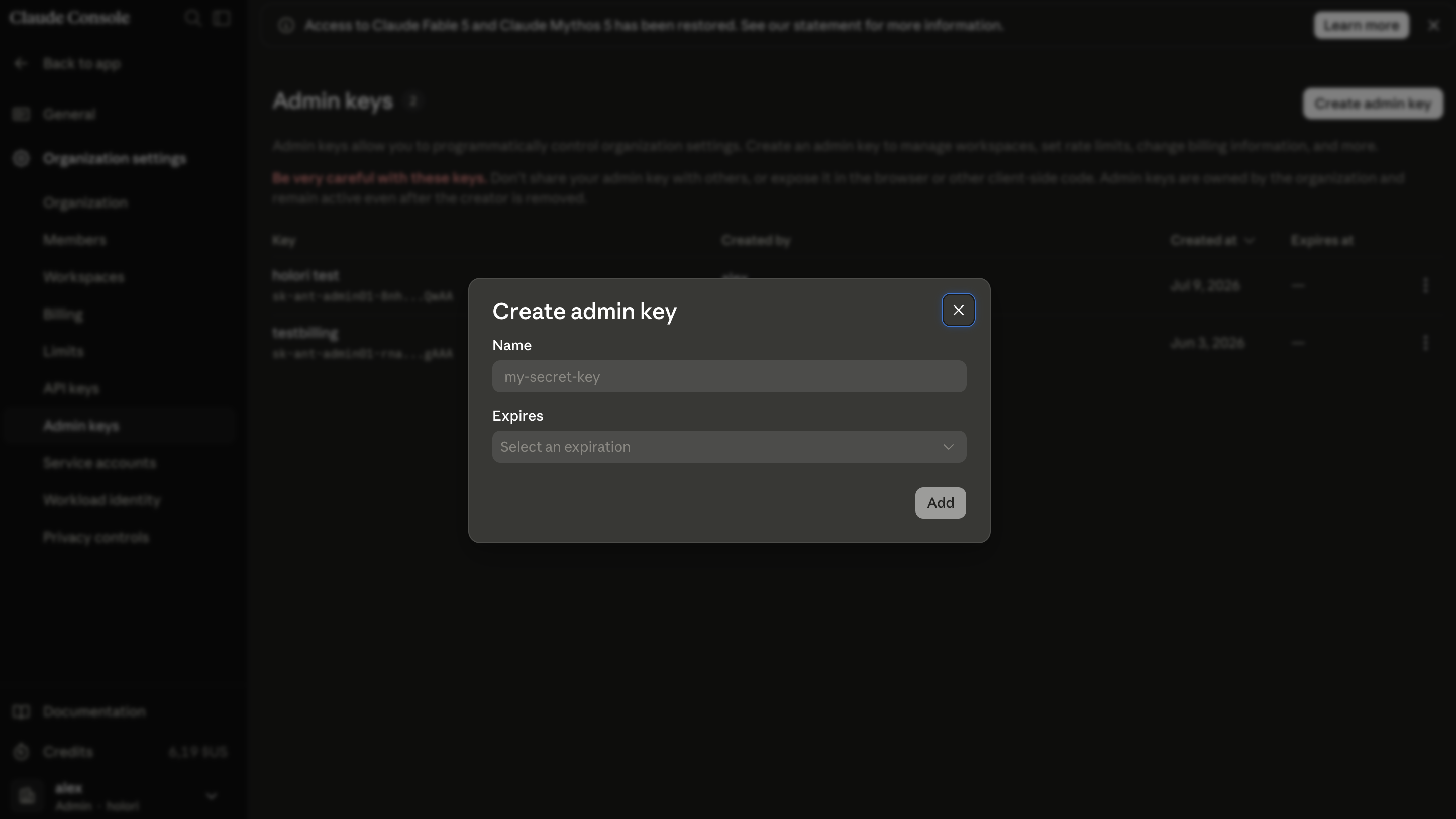
Step 5: Copy your Admin key
Copy the newly created key. Admin keys start with sk-ant-admin. For security reasons, Anthropic only displays it once, so make sure to save it before closing the window.
Step 6: Add your Admin key to Holori
Back in the Holori App, paste the Admin key into the corresponding field.
For Description, enter any descriptor to identify this integration, such as your organization's name
Save and verify
Once all the steps above are completed, click Save and Verify at the bottom of the page.
After adding your integration, wait a bit while Holori backfills your Anthropic cost data across the range supported by Anthropic's Admin APIs. Once the import completes your costs become available in Holori App.
If you decide to remove your Anthropic integration from Holori, all costs associated with your Anthropic Admin API key will be removed from the Holori App.